

Introduction
A new malware campaign known as ClickFix is spreading rapidly across Europe and North America, using a deceptively simple technique: fake Windows Update pop-ups. Victims believe they are installing legitimate system patches, but in reality, they are downloading an InfoStealer malware designed to extract saved credentials, cookies, and browser autofill data.
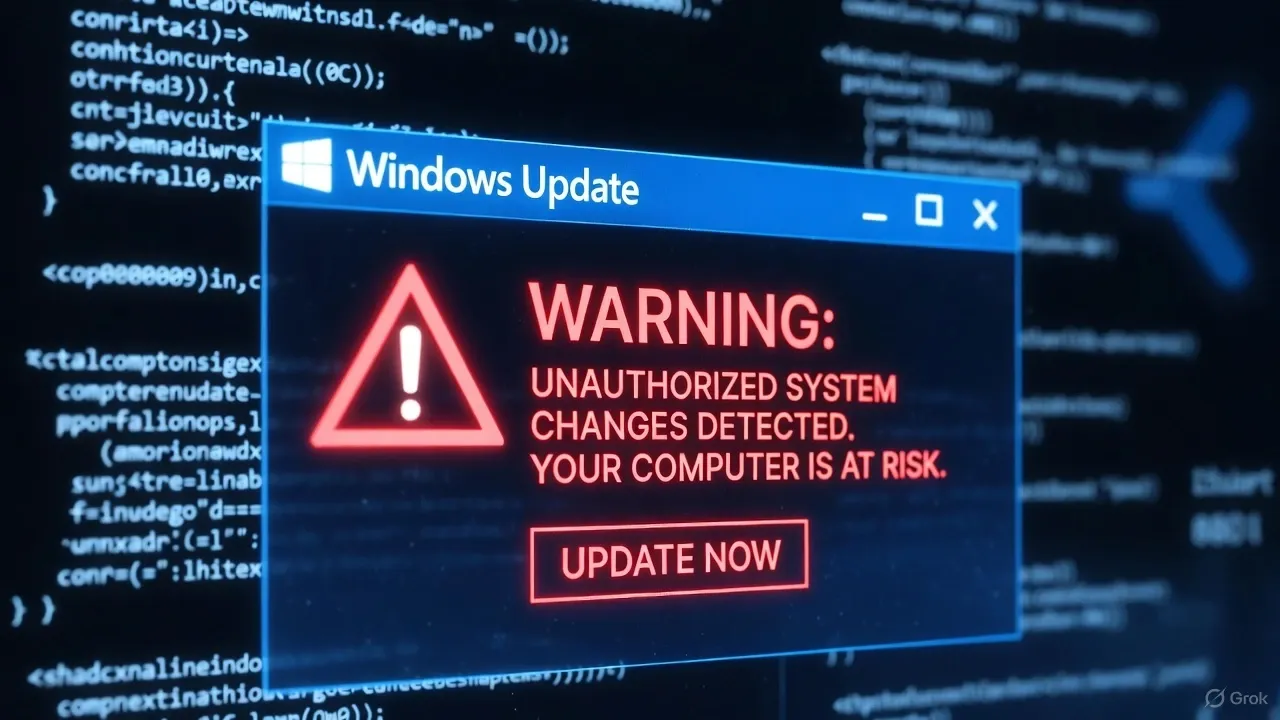
This campaign demonstrates how attackers are moving beyond phishing emails and exploiting user trust in the familiar Windows interface. The fake updates appear authentic, complete with Microsoft logos, progress bars, and messages such as “Critical Update Required” or “Security Patch in Progress.”
How the Attack Works
ClickFix infections begin when users visit compromised websites or malicious advertisements. The browser is redirected to a fake Windows Update page that imitates Microsoft’s official design.
Once the user clicks “Install” or “Download,” a malicious executable is retrieved from a remote server hosted on fast-changing IP addresses. The installer launches a fake update progress window while silently deploying an InfoStealer payload in the background.
This payload targets data from major browsers including Chrome, Edge, and Firefox, collecting saved passwords, autofill details, and session cookies. It can also steal Windows credentials from the local Security Account Manager (SAM) database and exfiltrate them to the attacker’s command-and-control (C2) server.
Technical Details
Security researchers from multiple SOC teams have identified the ClickFix payload as a variant of Vidar, a well-known stealer family. The malware uses encrypted communication channels to evade detection, periodically rotating C2 servers to avoid takedowns.
Once active, ClickFix performs several actions to maintain persistence:
- Creates a scheduled task for automatic relaunch after reboot
- Modifies registry keys under HKCU\Software\Microsoft\Windows\CurrentVersion\Run
- Injects code into explorer.exe to stay active during user sessions
- Disables Windows Defender via PowerShell commands
The fake Windows Update pop-up is created using a full-screen HTML overlay, designed to block interaction with the desktop until the user accepts the fake update.
Impact and Global Spread
According to telemetry shared by cybersecurity firm Sekoia.io, over 12,000 infections have been detected in the last two weeks. France, Germany, and the UK are among the hardest hit. Many victims are small businesses and remote workers who believed they were applying a legitimate system patch.
Unlike ransomware, ClickFix operates silently, aiming for long-term data harvesting. Stolen credentials are later sold on darknet marketplaces or used for account takeovers and corporate intrusions.
Indicators of Compromise (IOCs)
Analysts have identified several network and file indicators linked to the campaign:
- Domains mimicking Microsoft update servers (e.g.,
windows-updates-support[.]com,msfixpatch[.]net) - Downloaded executables named
SecurityUpdate_KB<random>.exe - Outbound traffic to suspicious IP ranges hosted on Bulgaria, Romania, and Russia-based VPS providers
- Registry modification logs containing “ClickFix” or “WinFix” strings
Administrators should monitor outbound HTTPS connections to unknown subdomains, as ClickFix frequently changes its C2 infrastructure.
Microsoft’s Statement
Microsoft has confirmed that the company is not affiliated with any ClickFix-related websites and reiterated that Windows never requires manual downloads through browser prompts. All legitimate updates are delivered exclusively via Settings → Windows Update or through Windows Server Update Services (WSUS) in managed environments.
The company advises users to close suspicious browser windows immediately and run a full Defender Offline Scan if they suspect infection.
How to Protect Your System
To stay protected from fake update campaigns like ClickFix:
- Never install Windows updates prompted by a web browser.
- Only update through the Windows Settings app or trusted enterprise tools.
- Enable SmartScreen and Controlled Folder Access in Windows Security.
- Keep antivirus software up to date and schedule weekly scans.
- Use a password manager with two-factor authentication to secure accounts if data leakage occurs.
- IT administrators should monitor for abnormal registry modifications and recurring explorer.exe injections.
Conclusion
ClickFix proves that even experienced users can be deceived by social engineering disguised as a familiar system interface. Its convincing fake update window makes it one of the most effective InfoStealer campaigns of late 2025.
Microsoft’s ongoing awareness efforts highlight a crucial lesson: cybersecurity threats no longer rely solely on emails or attachments. They now exploit what users trust most — their operating system.
Organizations must educate employees, enforce update policies, and monitor network traffic closely to prevent this attack from spreading further.
Sources
BleepingComputer – Fake Windows Update pop-ups install InfoStealer malware
The Hacker News – Fake Windows Update delivering Vidar malware in new ClickFix campaign
Microsoft Security Blog – Guidance on fake update campaigns and social engineering threats